Contents
- 1 Why Filing Your ITR on Time in 2026 Matters More Than You Think
- 2 Which ITR Form Should You File in 2026?
- 3 New Tax Regime vs Old Tax Regime — Which to Choose in AY 2026-27?
- 4 Documents You Need Before Filing ITR in 2026
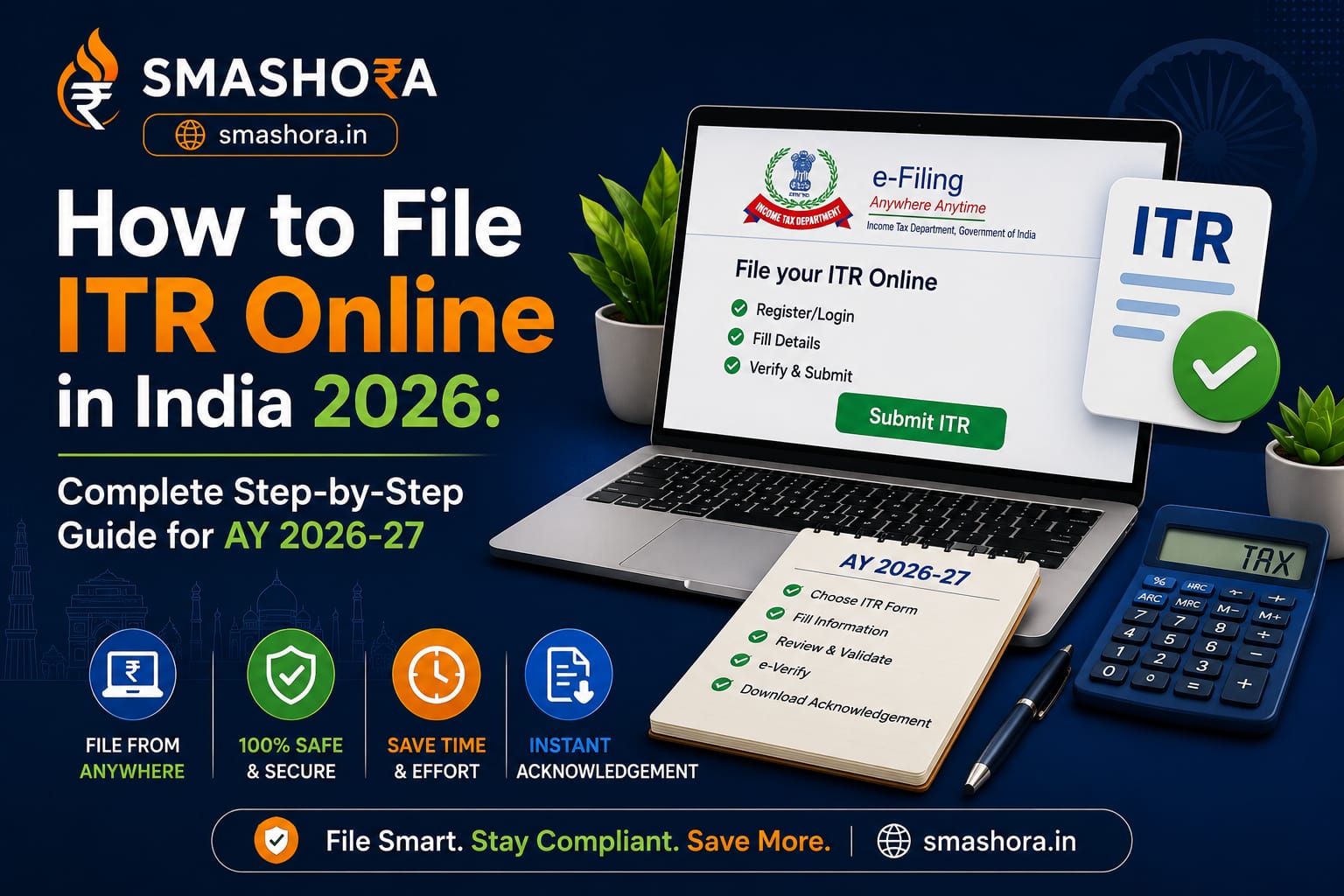
- 5 How to File ITR Online in India 2026 — Step by Step
- 5.1 Step 1 — Log In to the Income Tax e-Filing Portal
- 5.2 Step 2 — Download and Review Your AIS and Form 26AS
- 5.3 Step 3 — Click on e-File and Start Your Return
- 5.4 Step 4 — Select the Correct ITR Form
- 5.5 Step 5 — Choose Your Filing Reason and Tax Regime
- 5.6 Step 6 — Verify Pre-Filled Information
- 5.7 Step 7 — Enter Your Deductions (Old Regime Only)
- 5.8 Step 8 — Review Tax Computation and Pay Any Remaining Tax
- 5.9 Step 9 — Submit Your Return
- 5.10 Step 10 — E-Verify Your ITR Within 30 Days
- 6 Common Mistakes to Avoid While Filing ITR in 2026
- 7 ITR Filing Deadlines for AY 2026-27
- 8 Should You Use ClearTax or File Directly on the Government Portal?
- 9 Conclusion — File Before July 31 and Do Not Leave Your Refund Unclaimed
- 10 Frequently Asked Questions
- 10.1 What is the last date to file ITR for AY 2026-27?
- 10.2 Is it mandatory to file ITR if TDS has already been deducted by my employer?
- 10.3 What is Form 16 and where do I get it?
- 10.4 What is AIS and why is it important for ITR filing?
- 10.5 Can I file ITR without Form 16?
- 10.6 What happens if I file ITR after July 31, 2026?
- 10.7 How long does it take to get an ITR refund?
If you are looking for a clear, no-confusion guide on how to file your ITR online in India in 2026, you have landed at exactly the right time. The Income Tax Department has officially opened the ITR filing window for Assessment Year 2026-27, covering income earned in Financial Year 2025-26. The deadline for most salaried individuals and non-audit cases is July 31, 2026 — and filing early is always smarter than waiting for the last week rush.
I know the income tax portal can feel overwhelming the first time you sit down to file. There are multiple ITR forms, unfamiliar terms like AIS, Form 26AS, and TDS, and a dozen fields that seem confusing if you are doing it alone. But for most salaried Indians, filing ITR online takes no more than 20 to 30 minutes once you have the right documents ready. This guide breaks the entire process down into simple, actionable steps so you can file your return confidently before the deadline.
Whether you are filing for the first time or looking to double-check your process for AY 2026-27, this complete step-by-step guide covers everything from logging in to the e-filing portal to verifying your return after submission.
Why Filing Your ITR on Time in 2026 Matters More Than You Think
Many Indians still believe that if no tax is due or if their employer has already deducted TDS, they do not need to file an ITR. That is a costly misconception. Here is why timely ITR filing matters:
- Tax refund: If your employer deducted more TDS than your actual tax liability, filing ITR is the only way to claim that refund. Many salaried employees are owed thousands of rupees each year and never claim it simply because they do not file.
- Loan applications: Banks and NBFCs ask for 2 to 3 years of ITR acknowledgements when you apply for a home loan, business loan, or personal loan. No ITR often means no loan approval, regardless of your income.
- Visa applications: Many countries including the US, UK, Canada, and Schengen countries require ITR documents as proof of income when processing visa applications.
- Carry forward losses: If you have capital losses from stocks or mutual funds in FY 2025-26, you can carry them forward to offset future gains — but only if you file your ITR on time before July 31.
- Penalty for late filing: Filing after July 31, 2026 attracts a late fee of up to ₹5,000 under Section 234F. Filing after December 31 can attract a higher penalty.
Which ITR Form Should You File in 2026?
Choosing the wrong ITR form is one of the most common mistakes taxpayers make. Here is a simple guide to pick the right one:
| ITR Form | Who Should File |
|---|---|
| ITR-1 (Sahaj) | Salaried individuals with total income up to ₹50 lakh from salary, one house property, and other sources like FD interest. Most straightforward form. |
| ITR-2 | Individuals with capital gains income (from stocks, mutual funds, property), more than one house property, or income from foreign sources. |
| ITR-3 | Individuals with income from a business or profession, including freelancers and consultants with professional fees. |
| ITR-4 (Sugam) | Individuals, HUFs, and firms opting for the presumptive taxation scheme under Section 44AD or 44ADA. Suitable for small business owners and freelancers with gross receipts up to ₹2 crore. |
For most salaried Indians reading this — ITR-1 is the form you need. If you have sold mutual funds or stocks during FY 2025-26, you will need ITR-2 instead.
New Tax Regime vs Old Tax Regime — Which to Choose in AY 2026-27?
Before you start filing, you need to decide whether to go with the New Tax Regime or the Old Tax Regime for AY 2026-27. This decision affects your tax liability significantly.
| Feature | New Tax Regime | Old Tax Regime |
|---|---|---|
| Tax Rates | Lower slab rates | Higher slab rates |
| Standard Deduction | ₹75,000 for salaried | ₹50,000 for salaried |
| Section 80C Deduction | Not available | Up to ₹1.5 lakh |
| HRA Exemption | Not available | Available |
| Home Loan Interest Deduction | Not available | Up to ₹2 lakh per year |
| Best For | Those with few deductions or investments | Those with significant 80C investments, HRA, home loan |
| Default Regime | Yes — default from AY 2024-25 onwards | Must opt in explicitly while filing |
The New Tax Regime is now the default. If you have significant deductions — 80C investments like PPF, ELSS, LIC, plus HRA and home loan interest — calculate your tax under both regimes before filing to see which results in lower tax. Platforms like ClearTax and the official income tax portal have built-in calculators to compare both regimes instantly.
Documents You Need Before Filing ITR in 2026
Keep all of these ready before you open the e-filing portal. Having them handy will make the filing process smooth and quick:
- PAN card — your permanent account number
- Aadhaar card — linked to your PAN and mobile number for OTP verification
- Form 16 — issued by your employer by June 15 every year. Shows your salary income, TDS deducted, and deductions claimed through your employer.
- Form 26AS — download from the income tax portal. Shows all TDS deducted across all sources — salary, FD interest, rent received, etc.
- AIS (Annual Information Statement) — available on the income tax portal. Shows all financial transactions linked to your PAN — bank interest, dividend, mutual fund transactions, property purchases, and more. Introduced in recent years and now mandatory to reconcile before filing.
- Bank statements — for interest income from savings accounts and FDs
- Investment proofs — if filing under Old Regime — LIC premium receipts, PPF passbook, ELSS investment statements, home loan interest certificate
- Capital gains statements — if you sold stocks or mutual funds during FY 2025-26, download the capital gains statement from Zerodha, Groww, ICICI Direct, or your broker
How to File ITR Online in India 2026 — Step by Step
Here is the complete process to file your ITR online for AY 2026-27 on the official Income Tax e-filing portal:
Step 1 — Log In to the Income Tax e-Filing Portal
Visit the official portal at incometax.gov.in. Click on “Login” at the top right. Enter your PAN number as your User ID, along with your password. If you are logging in for the first time, click “Register” and create your account using your PAN and Aadhaar details.
Step 2 — Download and Review Your AIS and Form 26AS
Before starting to fill your return, always check your AIS and Form 26AS first. Go to “Services” in the top menu, then click “Annual Information Statement” to view your AIS. Download your Form 26AS from the same portal under “e-File” then “Income Tax Returns” then “View Form 26AS”.
Cross-check the income figures in your AIS with what you have in your own records — salary, FD interest, dividend income, and any other income. If there are discrepancies, note them down before filling your return. Filing without reconciling these figures is one of the most common reasons ITR filings get flagged for scrutiny by the tax department.
Step 3 — Click on e-File and Start Your Return
On the portal dashboard, click on “e-File” in the top menu, then “Income Tax Returns”, then “File Income Tax Return”. Select the Assessment Year as 2026-27 and choose “Online” as your filing mode. Click “Continue”.
Step 4 — Select the Correct ITR Form
The portal will ask you to select your ITR form. For most salaried individuals with income up to ₹50 lakh, select ITR-1. If you have capital gains, select ITR-2. If you are unsure, click “Help me decide which ITR to file” and the portal will ask you a few questions and suggest the right form.
Step 5 — Choose Your Filing Reason and Tax Regime
Select your reason for filing — in most cases this will be “Taxable income is more than the basic exemption limit” or “To claim refund”. Then select your tax regime — New or Old. If you want to opt for the Old Tax Regime, select it explicitly here. Otherwise the New Regime is applied by default.
Step 6 — Verify Pre-Filled Information
The portal will pre-fill your personal details, salary income, TDS details, and some deductions from your employer data and Form 26AS. Review every pre-filled field carefully. Do not assume the pre-filled data is complete or accurate — cross-check each figure against your Form 16 and AIS.
Common things to verify:
- Salary income matches your Form 16 Part B
- TDS deducted matches Form 26AS
- Any FD interest income is included
- Savings account interest above ₹10,000 is declared under “Other Sources”
Step 7 — Enter Your Deductions (Old Regime Only)
If you chose the Old Tax Regime, enter all your deductions in the “Deductions” section:
- Section 80C: Total of LIC premium, PPF, ELSS, home loan principal, tuition fees, NSC — up to ₹1.5 lakh
- Section 80D: Health insurance premium — up to ₹25,000 for self and family, ₹50,000 for senior citizen parents
- Section 24(b): Home loan interest paid — up to ₹2 lakh for self-occupied property
- Section 80TTA: Savings account interest — up to ₹10,000
- HRA exemption: If your employer has not already accounted for it in Form 16
Step 8 — Review Tax Computation and Pay Any Remaining Tax
After entering all income and deductions, the portal will calculate your total tax liability. Compare it with the TDS already deducted as shown in Form 26AS. If there is any remaining tax due (called “self-assessment tax”), you must pay it before submitting your return. Click “Pay Now” to pay via net banking, UPI, or debit card through the portal itself. The tax payment is called Challan 280.
If the tax computed is less than the TDS already deducted, you have a refund coming — the difference will be credited directly to your bank account after processing.
Step 9 — Submit Your Return
Once you have verified all the details and paid any remaining tax, click “Preview Return” to do a final review. If everything looks correct, click “Submit”. You will receive an acknowledgement number called the ITR-V acknowledgement. Save this — you will need it for e-verification.
Step 10 — E-Verify Your ITR Within 30 Days
Filing your ITR is not complete until you e-verify it. Without verification, your return is considered invalid. E-verify immediately after filing using one of these methods:
- Aadhaar OTP: Fastest method — an OTP is sent to your Aadhaar-linked mobile number. Enter it on the portal and verification is done instantly.
- Net banking: Log in through your bank’s net banking and verify directly.
- Demat account: Verify through your Zerodha or ICICI Direct demat account.
- Physical ITR-V: Print, sign, and post the ITR-V to CPC Bengaluru. This takes longer and is only recommended if the digital options fail.
Always use Aadhaar OTP — it takes less than 2 minutes and your return is verified instantly.
Common Mistakes to Avoid While Filing ITR in 2026
Not Declaring FD Interest Income
Many taxpayers think FD interest is automatically taken care of because the bank deducts TDS on it. But TDS on FD is only 10% — if your income is in the 20% or 30% tax slab, there is additional tax due on that interest. Always declare all FD interest income in your ITR under “Other Sources”, even if TDS has been deducted.
Ignoring Savings Account Interest Above ₹10,000
If the total interest earned across all your savings accounts in a year exceeds ₹10,000, the amount above ₹10,000 is taxable. This is something most salaried filers miss entirely. Check your bank statements for savings account interest credited during FY 2025-26.
Choosing the Wrong ITR Form
Filing ITR-1 when you should have filed ITR-2 — for example, if you sold mutual fund units during the year — is a defective return. The tax department will send you a notice to refile using the correct form. Always verify your form selection before submitting.
Not Reconciling AIS With Your Own Records
The AIS pulls data from multiple sources — your broker, your bank, mutual fund registrars, and more. If there is an error in your AIS (a transaction wrongly attributed to your PAN, for example), you need to raise a feedback on the AIS portal before filing. Filing with incorrect AIS data can attract a scrutiny notice.
Forgetting to E-Verify
A surprising number of people file their ITR and forget to e-verify it. Without e-verification within 30 days of filing, the return is treated as never filed. You will not get a refund, and late filing penalties will apply as if no return was submitted.
ITR Filing Deadlines for AY 2026-27
| Taxpayer Category | Deadline for AY 2026-27 |
|---|---|
| Salaried individuals, non-audit cases | July 31, 2026 |
| Businesses requiring audit | October 31, 2026 |
| Transfer pricing cases | November 30, 2026 |
| Belated return (with penalty) | December 31, 2026 |
| Updated return (ITR-U) | Within 2 years from end of assessment year |
Should You Use ClearTax or File Directly on the Government Portal?
Both options work well for most salaried filers. Here is a quick comparison:
| Option | Best For | Cost | Ease of Use |
|---|---|---|---|
| incometax.gov.in (official portal) | Simple ITR-1 filers with Form 16 | Free | Moderate |
| ClearTax | Complex returns with capital gains, multiple income sources | Free for basic, paid plans for complex | Easy |
| CA or tax professional | Business income, audit cases, multiple properties | ₹500 to ₹5,000 depending on complexity | Hands-off |
For a straightforward salaried return with Form 16 and no capital gains, the official government portal is completely free and perfectly adequate. If you have sold mutual funds, stocks, or have income from multiple sources, ClearTax makes the process significantly simpler with guided steps and automatic import of capital gains data.
Managing your finances well goes beyond just filing taxes. If you are also building your investment portfolio this year, our guide on the best SIP to start in India in 2026 will help you put your tax refund to work immediately. And if you are planning to apply for a home loan or personal loan, make sure your credit profile is in order — read our complete guide on how to improve your CIBIL score before you apply.
Conclusion — File Before July 31 and Do Not Leave Your Refund Unclaimed
Filing your ITR online in India for AY 2026-27 is simpler than most people think. Log in to incometax.gov.in, download your AIS and Form 26AS, pick the right ITR form, enter your income and deductions, verify the tax computation, submit, and e-verify using Aadhaar OTP. The whole process takes 20 to 30 minutes for most salaried individuals.
The July 31 deadline is firm for most taxpayers. Filing early gives you more time to fix errors, get your refund faster, and avoid the last-week server slowdowns on the income tax portal that happen every year without fail. If you are owed a refund — which many salaried Indians are — filing early means the money hits your bank account sooner.
At Smashora, we are here to help every Indian make every rupee count — including the rupees you are owed back from the government. If this guide helped you understand the ITR filing process, leave a comment below or share it with a colleague who is still putting off their filing for another day.
Frequently Asked Questions
What is the last date to file ITR for AY 2026-27?
The last date to file ITR for Assessment Year 2026-27 for salaried individuals and non-audit cases is July 31, 2026. Filing after this date attracts a late fee of up to ₹5,000 under Section 234F and you will also lose the ability to carry forward capital losses. Businesses that require a tax audit have a later deadline of October 31, 2026.
Is it mandatory to file ITR if TDS has already been deducted by my employer?
Yes, filing ITR is mandatory for individuals whose gross total income exceeds the basic exemption limit, regardless of whether TDS has been deducted. Even if your employer has deducted TDS correctly, you still need to file your return to claim any refund due, carry forward losses, or meet the documentation requirements for loans and visas. Many individuals whose TDS exceeds their actual tax liability are owed a refund that they never claim because they do not file.
What is Form 16 and where do I get it?
Form 16 is a certificate issued by your employer that shows your total salary paid during the financial year, the TDS deducted and deposited with the government, and all deductions and exemptions accounted for through your employer. Your employer is legally required to issue Form 16 by June 15 every year. If you have not received it by mid-June, contact your HR or payroll department. Form 16 is the primary document you need to file ITR-1.
What is AIS and why is it important for ITR filing?
The Annual Information Statement (AIS) is a comprehensive record of all financial transactions linked to your PAN during the financial year. It includes salary, bank interest, dividend income, mutual fund transactions, property purchases and sales, and more — sourced from banks, brokers, registrars, and other reporting entities. Always review your AIS on the income tax portal before filing and reconcile it with your own records. Discrepancies between your ITR and AIS are a common trigger for tax department scrutiny notices.
Can I file ITR without Form 16?
Yes, you can file ITR without Form 16. You will need your salary slips for April 2025 to March 2026, your bank statements showing salary credits, Form 26AS to verify TDS deducted, and AIS for complete income details. Calculate your gross salary from the salary slips, cross-check TDS with Form 26AS, and fill in the details manually. It takes a bit more effort but is entirely doable, especially for individuals with a single employer and straightforward finances.
What happens if I file ITR after July 31, 2026?
Filing after July 31, 2026 is called a belated return. A belated return can be filed up to December 31, 2026. It attracts a late filing fee of ₹5,000 under Section 234F (reduced to ₹1,000 if your total income is below ₹5 lakh). Additionally, you lose the ability to carry forward capital losses from the current year, and interest under Section 234A may apply on any outstanding tax dues. A belated return can be revised if needed, but within the same December 31 deadline.
How long does it take to get an ITR refund?
For returns filed and e-verified early in the season (June or July), refunds are typically processed within 15 to 45 days. During peak filing periods closer to the July 31 deadline, processing can take 60 to 90 days. The refund is credited directly to the bank account you link in your ITR. Make sure your bank account is pre-validated on the income tax portal under “My Profile” for faster refund processing. You can track your refund status on the income tax portal under “e-File” then “Income Tax Returns” then “View Filed Returns”.